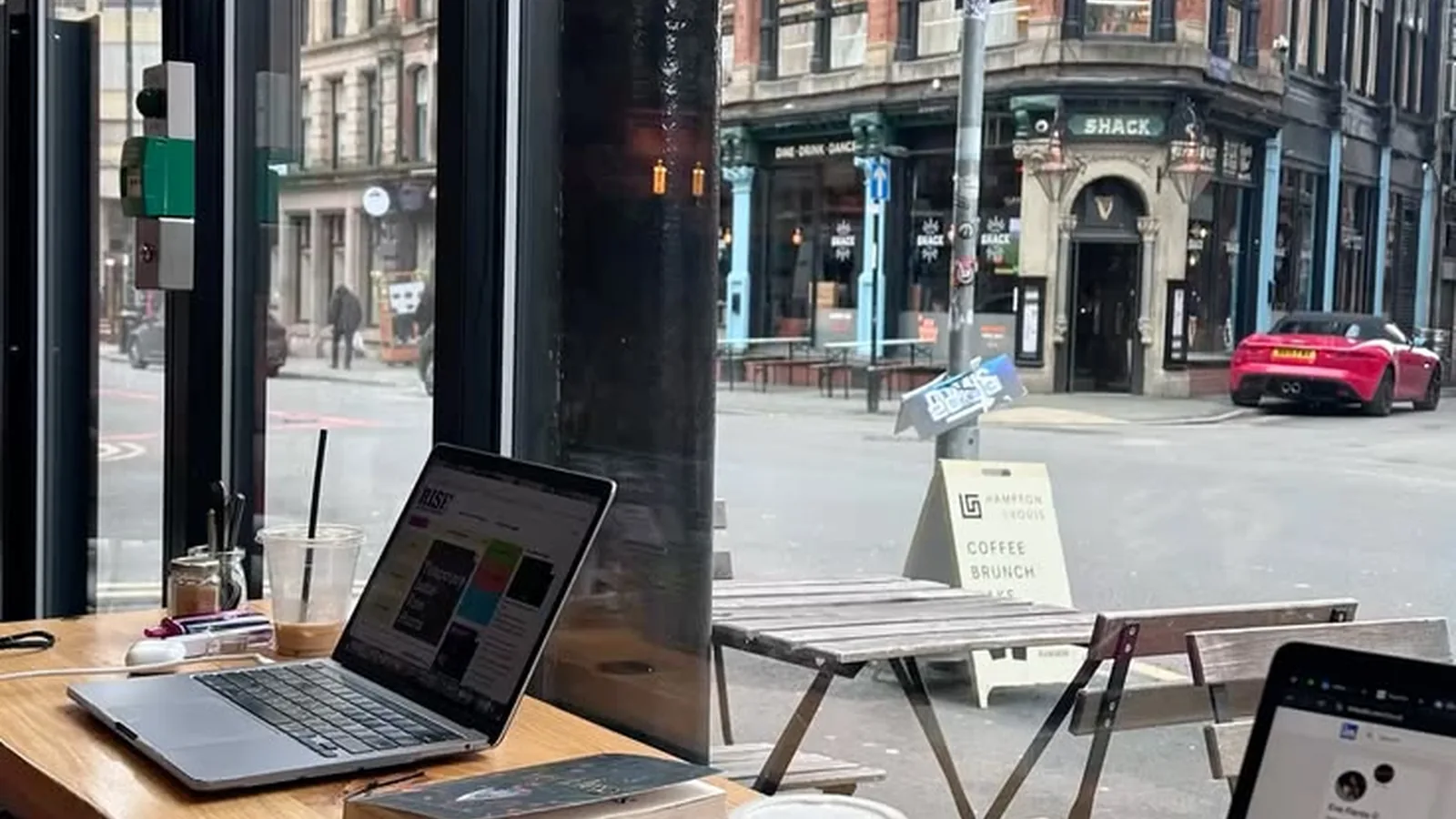
If you are trying to get real work done in New York City, the best café is usually not the one with the best cappuccino or the prettiest tiles. It is the one that still feels usable after 45 minutes: you can connect reliably, find enough table space to open a laptop, avoid getting bumped every two minutes, and stay without feeling like you are violating the room’s social contract.
That practical filter matters because many NYC coffee shops are now designed for quick turnover, heavy takeout, or social seating rather than long laptop sessions. Some also change their computer rules during busy periods, and even places with free Wi‑Fi may offer little outlet access or minimal table space.
Below is a working guide to cafés and alternatives that are actually plausible for laptop use, based on current business information such as official location pages, stated Wi‑Fi details, hours, and published terms where available. Because outlet access, restroom rules, and laptop restrictions often are not listed formally online, those categories are labeled conservatively rather than guessed.
What makes a café good for laptop work?
For this guide, a café is more useful for laptop work when it has most of these traits:
- Confirmed or clearly offered Wi‑Fi
- Hours long enough to support a work session
- Indoor seating rather than mostly grab-and-go service
- Tables that can realistically hold a laptop and drink
- A room where sitting for a while is normal
- A location pattern that suggests weekday workability better than weekend leisure crushes
I also split recommendations into two buckets:
- Best for a short session: roughly 45 to 90 minutes
- Best for a longer session: roughly 2 to 4 hours, assuming you buy regularly and avoid peak times
That distinction matters in NYC. Plenty of places are fine for clearing email or taking one Zoom-lite meeting with headphones, but much worse for a half-day deep-work block.
Quick comparison table
| Place | Borough | Verified basics | Best for | Why it works | Main cautions |
|---|---|---|---|---|---|
| Intelligentsia High Line Hotel Coffeebar | Manhattan | Free Wi‑Fi listed; 180 10th Ave; daily 7am–5pm | 1–3 hours | Officially confirms Wi‑Fi; hotel-adjacent setting tends to suit laptop users | Chelsea traffic and limited hours for evening work |
| Stumptown Ace Hotel | Manhattan | 18 W 29th St; weekdays 6am–5pm, weekends 6:30am–5pm | 1–3 hours | Hotel-lobby context is often better for spread-out seating than a narrow café | Peak hotel/lobby crowding; Wi‑Fi not stated on Stumptown page |
| Devoción Williamsburg | Brooklyn | 148 Grand St; weekdays 7am–6pm, weekends 7:30am–6pm | 1–3 hours | Large flagship format and long-ish daytime hours | Popular destination; weekend crowding can undercut laptop usefulness |
| Devoción NoMad | Manhattan | 1134 Broadway; location confirmed via Devoción café pages; hours listed on café overview | 1–2 hours | Central Manhattan location with daytime hours | Can be busy with office traffic; laptop rules may vary by rush periods |
| Partners Coffee Williamsburg – North 6th | Brooklyn | 125 N 6th St location confirmed; company terms mention café Wi‑Fi where provided | 1–3 hours | Williamsburg café-and-roastery setting is more likely to accommodate longer stays than a tiny storefront | Wi‑Fi is not promised for every seat; weekend crowding likely |
| Partners Coffee Long Island City | Queens | 26-25 Jackson Ave location confirmed; company terms mention complimentary Wi‑Fi where provided | 1–3 hours | One of the clearer Queens options from an established operator | Verify current seating conditions before a long session |
| Birch Coffee Court Square | Queens | 1 Court Square; Mon–Fri 7am–4pm, Sat–Sun 7:30am–4pm; FAQ says all locations are Wi‑Fi free | 30–60 minutes | Fine if you want to work offline briefly | Officially not for Wi‑Fi work |
| Birch Murray Hill | Manhattan | 432 3rd Ave; indoor seating; Mon–Fri 7:30am–4pm, Sat–Sun 8am–4pm; Wi‑Fi free per FAQ means none | 30–60 minutes | Indoor seating helps for a short offline session | Not appropriate if you need internet |
| Blue Bottle Bryant Park | Manhattan | 54 W 40th St; daily hours listed | 30–90 minutes | Good central stop if you need a quick sit-down between meetings | Bryant Park area crowds make it less dependable for a long session |
| Blank Street locations | Citywide | Many NYC locations; individual store pages list hours | 20–45 minutes | Convenience play, not a serious work base | Most locations are small-format; not a strong long-session bet |
Best NYC cafés for a short one-hour laptop session
Intelligentsia High Line Hotel Coffeebar, Chelsea
Intelligentsia’s High Line Hotel location is one of the strongest officially documented options because the location page explicitly says “Wifi — Enjoy it, it’s free” and lists current daily hours of 7am to 5pm at 180 10th Ave at 20th St. That makes it unusually easy to verify the basics before you go. Official location page.
Why it is good for work:
- Free Wi‑Fi is clearly stated on the official page.
- The hotel setting usually makes it more plausible to stay for a moderate session than at a pure takeout counter.
- Chelsea location is practical if you are working around Midtown South, Flatiron, or the west side.
Best use case: 1 to 3 hours on a weekday morning or early afternoon.
Watch for: the room is not open late, and neighborhood traffic can rise around lunch. If you need guaranteed power access, go assuming outlets may be limited unless you confirm on arrival.
Blue Bottle Bryant Park, Midtown
Blue Bottle’s Bryant Park café at 54 W 40th St publishes daily hours on its official café page, which currently shows 6:30am–7pm Sunday through Thursday and 7am–7pm Friday and Saturday. Official café page.
Why it is useful:
- Easy Midtown location.
- Long enough hours for a quick stop before or after office time.
- Good fit for a short administrative work block between appointments.
Why it is not a top long-stay pick:
- Bryant Park is a high-foot-traffic zone.
- Central business/tourist areas are often the first places where table turnover pressure becomes obvious.
- The official page confirms hours and location, but not Wi‑Fi details or laptop policy.
Best use case: 30 to 90 minutes, especially weekday mornings.
Birch Coffee locations, especially Murray Hill or Court Square, for offline work only
Birch is a good example of why verifying laptop suitability matters. Its location page lists current addresses, hours, and whether some locations have indoor seating. For example, Murray Hill at 432 3rd Ave lists indoor seating, and Court Square at 1 Court Square, Long Island City is also listed with hours. But Birch’s FAQ states that all of its locations are Wi‑Fi free. Locations, FAQ.
That means Birch may still work if you:
- need a short seat,
- can tether from your phone, or
- are doing offline writing or reading.
It is not a reliable recommendation for people who need café Wi‑Fi.
Best use case: 30 to 60 minutes offline.
Blank Street, only when convenience matters more than workspace quality
Blank Street has a huge NYC footprint, and its official location pages make it easy to verify specific store hours. For example, 71st & Lex at 985 Lexington Ave lists hours from 6:30am most days. NYC locations, 71st & Lex page.
But from a laptop-work perspective, Blank Street is usually a backup, not a destination:
- many units are compact,
- some are kiosk-like or optimized for quick service,
- and official pages do not frame them as work-friendly spaces.
Best use case: 20 to 45 minutes to clear messages, not to camp out.
Best NYC cafés for a longer 2-to-4-hour session
Devoción Williamsburg
Devoción’s Williamsburg flagship at 148 Grand St, Brooklyn lists hours of 7am–6pm weekdays and 7:30am–6pm weekends on the official location page. The broader café page also confirms the company’s current New York locations and hours. Williamsburg page, NYC cafés overview.
Why it stands out:
- Flagship-scale café layout tends to be more workable than a tiny espresso bar.
- The daytime hours are solid for a morning or early afternoon work block.
- It is one of the more plausible choices if you want to settle in with a laptop rather than rotate out quickly.
Best use case: 2 to 3 hours on a weekday morning.
Cautions:
- Devoción is popular for exactly the reasons remote workers like it, so weekends can become destination-crowded fast.
- The official site confirms locations and hours, but does not publish outlet counts, computer rules, or restroom policy. Treat those as variable.
Devoción NoMad or Flatiron
Devoción also operates Manhattan cafés in NoMad and Flatiron, with hours listed on the company’s official café pages and ordering system. The café overview currently lists NoMad at 1134 Broadway and Flatiron at 25 E 20th St, generally with 7am–6pm weekdays and 7:30am–6pm weekends. NYC cafés overview, NoMad page, Flatiron page.
Why they work:
- Better-than-average hours for daytime laptop use.
- Office-district geography means they can be productive stops between meetings.
- More realistic for a longer session than many chain counters.
Best use case: 1 to 2.5 hours, preferably weekday mornings before lunch traffic builds.
Partners Coffee Williamsburg and Long Island City
Partners’ official help center currently lists four café locations in New York, including 125 North 6th Street and 145 Bedford Ave in Williamsburg, 44 Charles Street in the West Village, and 26-25 Jackson Ave in Long Island City. Its terms of service also state that where complimentary Wi‑Fi is provided, the company makes no warranty as to speed, availability, or security. That language matters because it confirms Wi‑Fi exists in at least some café contexts without overpromising reliability. Café locations, terms of service.
Why Partners belongs on the list:
- The Williamsburg café-and-roastery setting at North 6th is a stronger long-session candidate than a micro-café.
- The Long Island City location gives Queens a legitimate option from a specialty operator with a stable footprint.
- The company explicitly addresses café Wi‑Fi in its terms, which is more useful than leaving internet availability entirely unstated.
Best use case:
- Williamsburg North 6th: 2 to 3 hours on a weekday
- Long Island City: 1 to 3 hours, especially if you want Queens access without relying on a chain kiosk
Cautions:
- Because the terms say “where we provide complimentary wi-fi,” do not assume every seat or every day will feel equally workable.
- Confirm current hours on the specific location before making a long trip.
Stumptown Ace Hotel, NoMad/Midtown South
Stumptown’s Ace Hotel café at 18 W 29th St lists current hours of 6am–5pm weekdays and 6:30am–5pm weekends. Official page.
Why it remains one of the better long-session bets:
- Hotel-lobby coffee settings often absorb laptop users better than narrow neighborhood cafés.
- Early opening hours are helpful if you want to front-load work before the city gets noisy.
- The page itself describes the location as a long-running meeting place, which aligns with social expectations around staying a bit longer.
Best use case: 1 to 3 hours, especially early weekday mornings.
Main caution: the official page does not explicitly list Wi‑Fi details, so if internet reliability is mission-critical, have a hotspot backup.
How to read crowding by borough and time
Manhattan
The best Manhattan laptop cafés are usually strongest before 11am on weekdays. Midtown, Bryant Park, Flatiron, Chelsea, and NoMad can deteriorate quickly around lunch. Hotel-adjacent cafés tend to be safer than tiny storefront coffee bars.
Brooklyn
Brooklyn often has the most attractive work-friendly rooms, but also the biggest mismatch between appearance and usability. Williamsburg in particular can look ideal online and still become too crowded for a productive Saturday by late morning.
Queens
Queens has fewer famous “work cafés,” but that can be an advantage. Long Island City is the clearest place to start because established operators such as Partners and Birch have verified locations there. Birch is better for offline work; Partners is the stronger Wi‑Fi-dependent candidate based on available official information. Partners locations, Birch locations, Birch FAQ.
Purchase etiquette and staying rules
Even when a café does not publish a strict laptop policy, the etiquette is simple:
- Buy something meaningful, not the cheapest item and then nothing for three hours.
- If you stay beyond an hour or two, buy again.
- Avoid taking a four-top by yourself during rush periods.
- Use headphones for any call, and keep it short.
- If the room fills up and turnover is clearly expected, move on.
Also assume that restroom access may be customer-only and that computer rules can tighten during busy periods, especially on weekends or during brunch-adjacent rushes.
When cafés are too crowded: better alternatives
Sometimes the most laptop-friendly “café” in NYC is not a café.
Public libraries
The New York Public Library says it provides free access to computers, laptops, and Wi‑Fi at its locations across Manhattan, the Bronx, and Staten Island. NYPL also notes that branches offer seating, computers, and Wi‑Fi. NYPL wireless access, NYPL blog overview, location finder.
For Brooklyn and Queens, the city’s library systems are separate, and they remain some of the best fallback options when cafés are packed or expensive. NYPL’s own materials direct users to Brooklyn Public Library and Queens Public Library for those boroughs. NYPL locations.
Why libraries often beat cafés:
- no pressure to keep buying drinks,
- more predictable seating norms,
- generally better quiet conditions,
- and fewer social penalties for staying a full afternoon.
Privately owned public spaces and indoor public seating
New York City’s Department of City Planning maintains information on Privately Owned Public Spaces (POPS), which include indoor and outdoor spaces required to be open to the public. NYC311 notes that each POPS site should post its public hours and features, including seating. NYC POPS overview, NYC311 POPS guidance.
These are useful when you need:
- a place to sit with your own hotspot,
- somewhere between meetings,
- or an overflow option after buying coffee nearby.
Do not assume Wi‑Fi, outlets, or quiet, but for seat-first needs they can be better than circling crowded cafés.
Bottom line
If you want the safest bets for actual laptop work, start with Intelligentsia High Line Hotel Coffeebar for clearly confirmed free Wi‑Fi, then Devoción Williamsburg, Partners Williamsburg, Partners Long Island City, and Stumptown Ace Hotel for stronger odds of a real multi-hour session. Use Blue Bottle Bryant Park for short Midtown work blocks, and treat Blank Street as convenience seating rather than a serious work base. Birch can still be pleasant, but its own FAQ says locations are Wi‑Fi free, so it is best only for offline work.
Most importantly, verify the exact location page before heading out. Hours, seating conditions, outlet access, and laptop rules can change quickly in NYC, and some cafés quietly tighten computer use during busy periods even when they do not post a formal policy online.
Working out of a cafe all day means your phone battery takes a hit too — see where to charge your phone in NYC for backup options beyond your table’s one outlet.
Sources
- Intelligentsia High Line Hotel Coffeebar
- Stumptown Ace Hotel New York
- Devoción NYC cafés overview
- Devoción Williamsburg
- Devoción NoMad
- Devoción Flatiron
- Partners Coffee café locations
- Partners Coffee terms of service
- Birch Coffee visit page
- Birch Coffee FAQ
- Blue Bottle Bryant Park
- Blank Street NYC locations
- Blank Street 71st & Lex
- NYPL wireless access
- NYPL locations
- NYPL blog on branch amenities
- NYC Department of City Planning POPS overview
- NYC311 POPS guidance